# Web Push Notifications Got Blocked
This sections helps you solve the blocking problem.
Problem: visitors can block Web Push Notifications and later do not have access to them.
# Solution for Firefox
To unblock Web Push Notifications in Firefox:
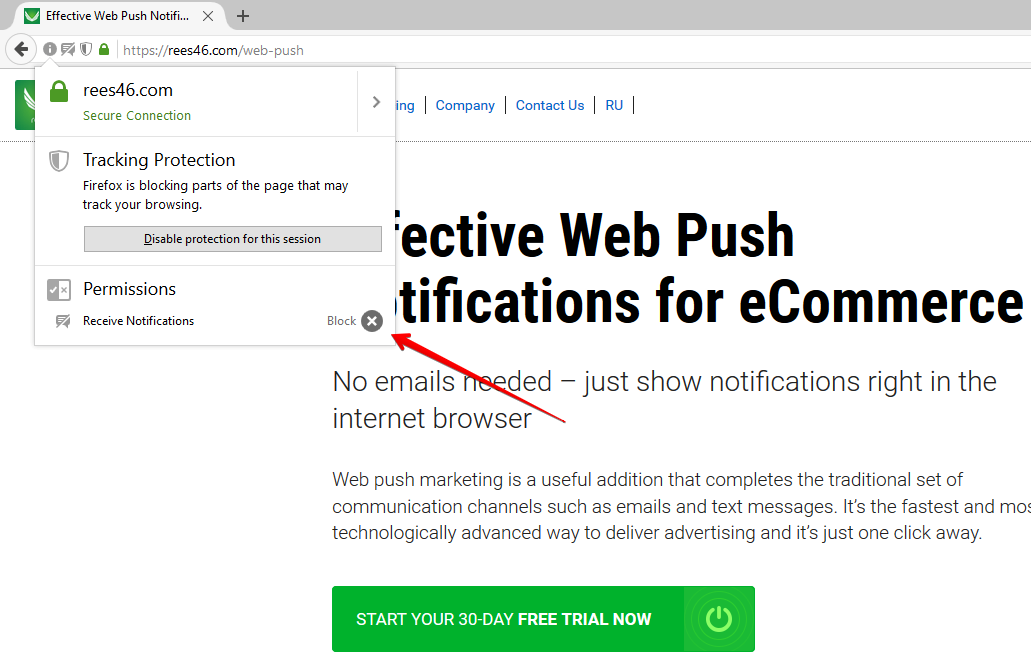
- Click identity information icon.
- Opposite "Receive Notifications" click the "X" next to "Block" to unblock notifications.
Alternatively, you can do it from Firefox options:
- Open Firefox options.
- Switch to Content tab.
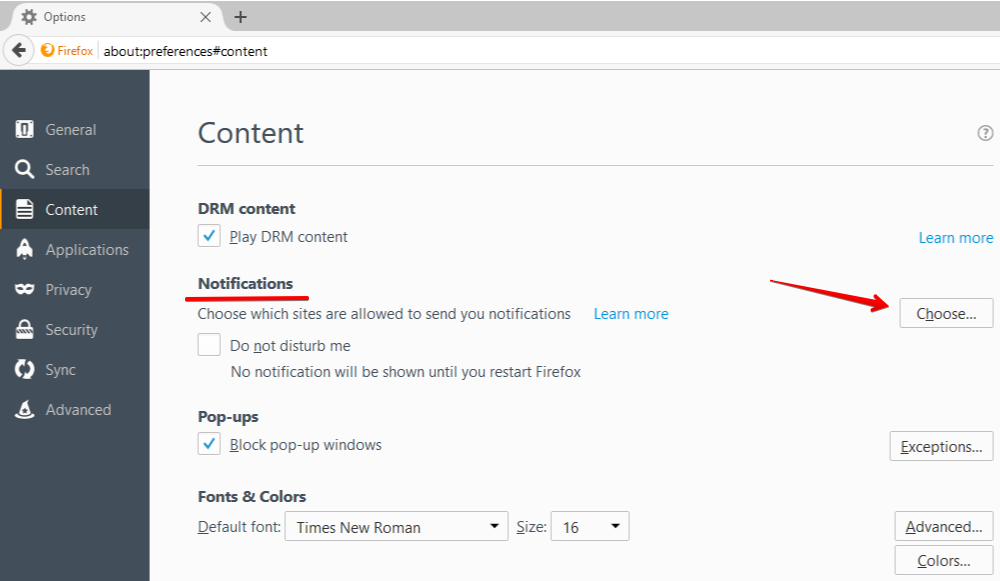
- Opposite to "Notifications" click "Choose".
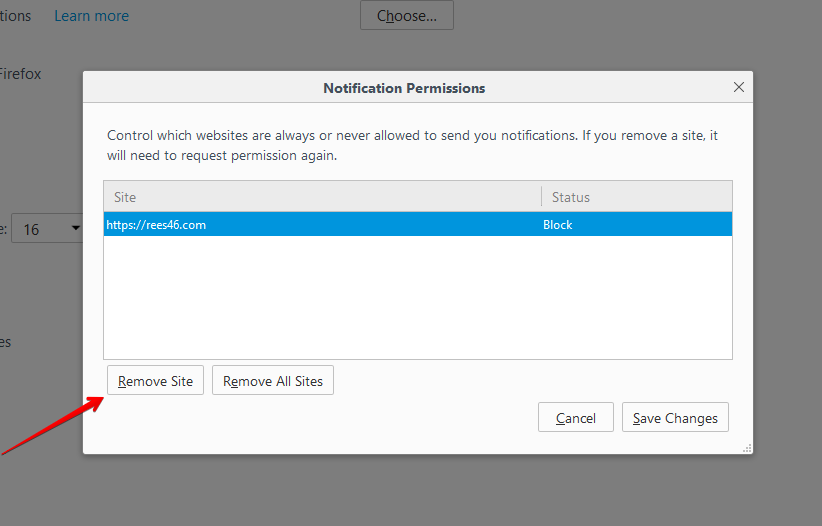
- Choose the site and click "Remove Site".
# Solution for Chrome
To unblock Web Push Notifications in Chrome:
- Click identity information icon.
- Opposite "Notifications" choose "Allow" from the drop-down list.
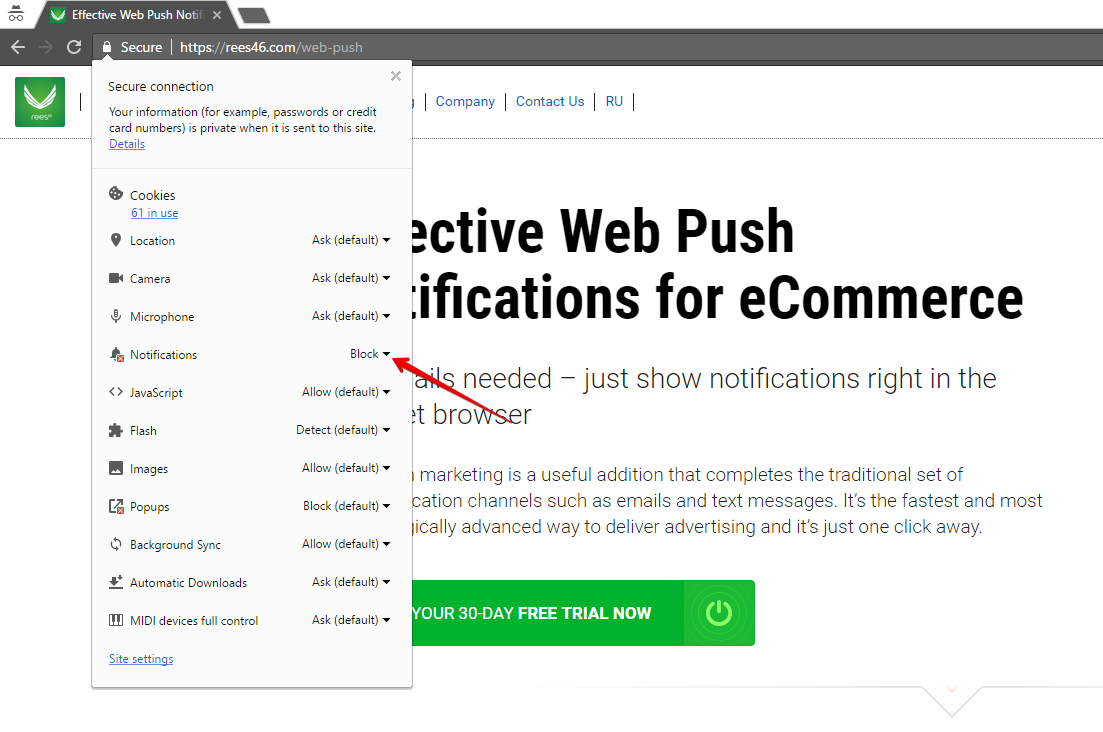
Alternatively you can do it from Chrome settings:
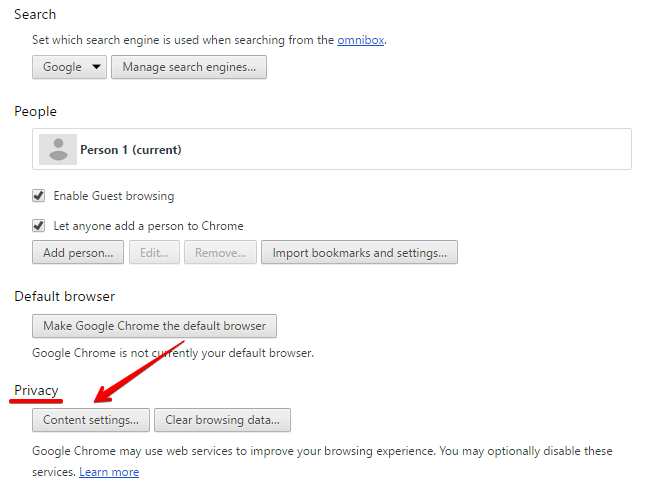
- Open Chrome settings.
- Click "Advanced settings" at the bottom (you may have already enabled them).
- Next to "Privacy" click "Content settings...".
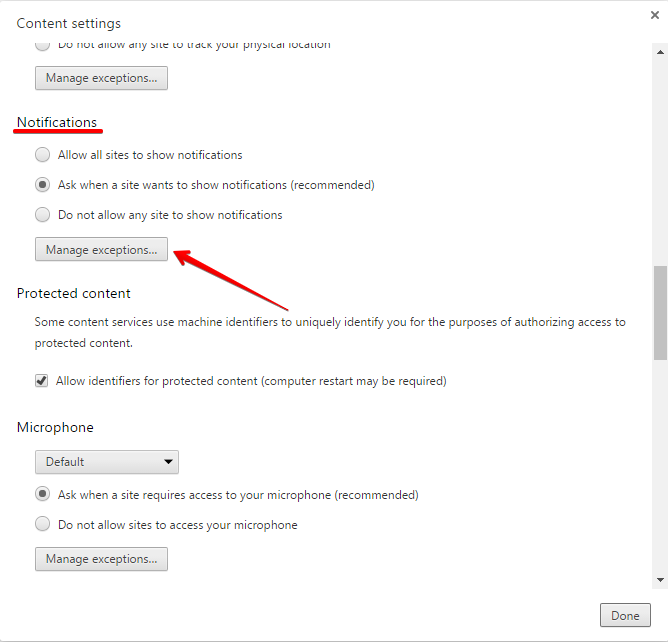
- Scroll down to "Notifications" and click "Manage exceptions".
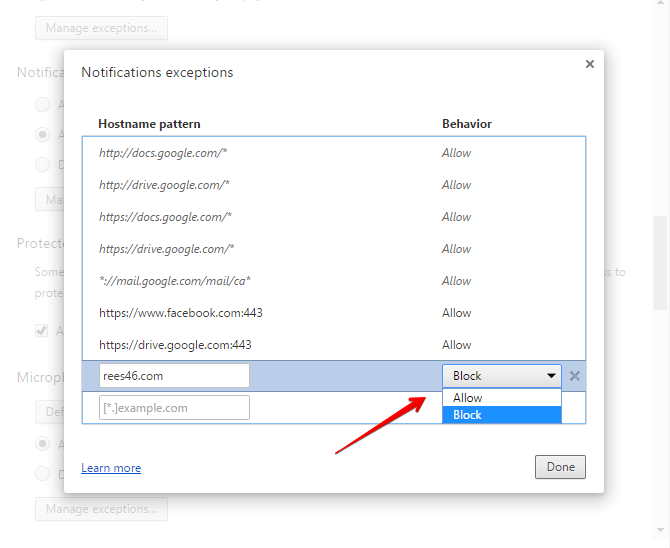
- Choose the site and choose "Allow" in the drop-down list.
# Solution for Safari
To unblock Web Push Notifications in Safari:
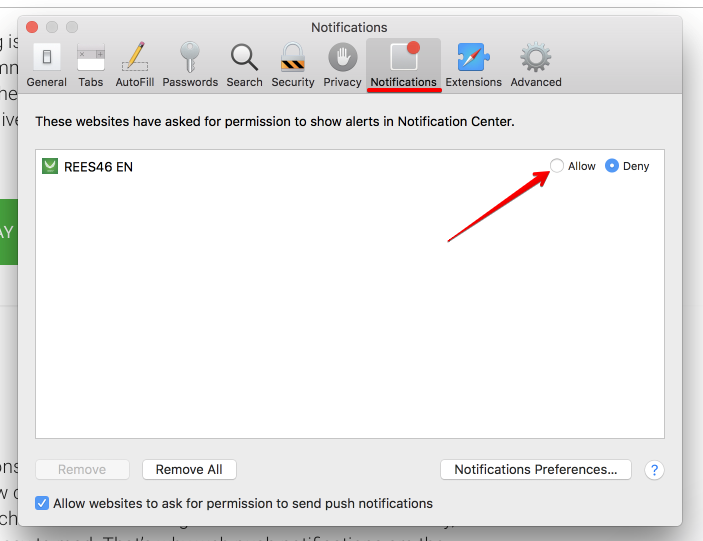
- Open Safari settings.
- Switch to "Notifications" tab.
- Choose the site and click "Allow" to allow notifications.